

How to Build an ATS-Friendly Resume That Gets You Noticed
In today’s competitive job market, your resume faces a digital gatekeeper before it ever reaches a human pair of eyes. Applicant Tracking Systems (ATS) scan, filter, and rank thousands of resumes daily, making it crucial to understand how these systems work and how to optimize your application for success.
Understanding Applicant Tracking Systems
Applicant Tracking Systems are software platforms designed to streamline the recruitment process for employers. These systems automatically collect, store, and organize applicant information, allowing hiring managers to quickly search through hundreds or thousands of candidates without manually reviewing each resume.
The typical ATS workflow involves three main stages. First, the system parses your resume, extracting relevant information into structured data fields. Next, it scores your application based on how well your qualifications match the job requirements. Finally, it presents a ranked list of candidates to the hiring team for further review.
According to industry research, over 98% of Fortune 500 companies use ATS to screen candidates, and this technology has become increasingly common among smaller businesses as well. Understanding how these systems evaluate applications is essential for any job seeker looking to maximize their chances of landing an interview.
What Makes a Resume ATS-Friendly?
An ATS-friendly resume is a document designed to be easily parsed and understood by recruitment software. These systems scan resumes for specific keywords, formatting elements, and qualifications that match the job description.
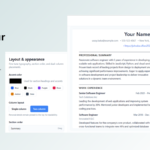
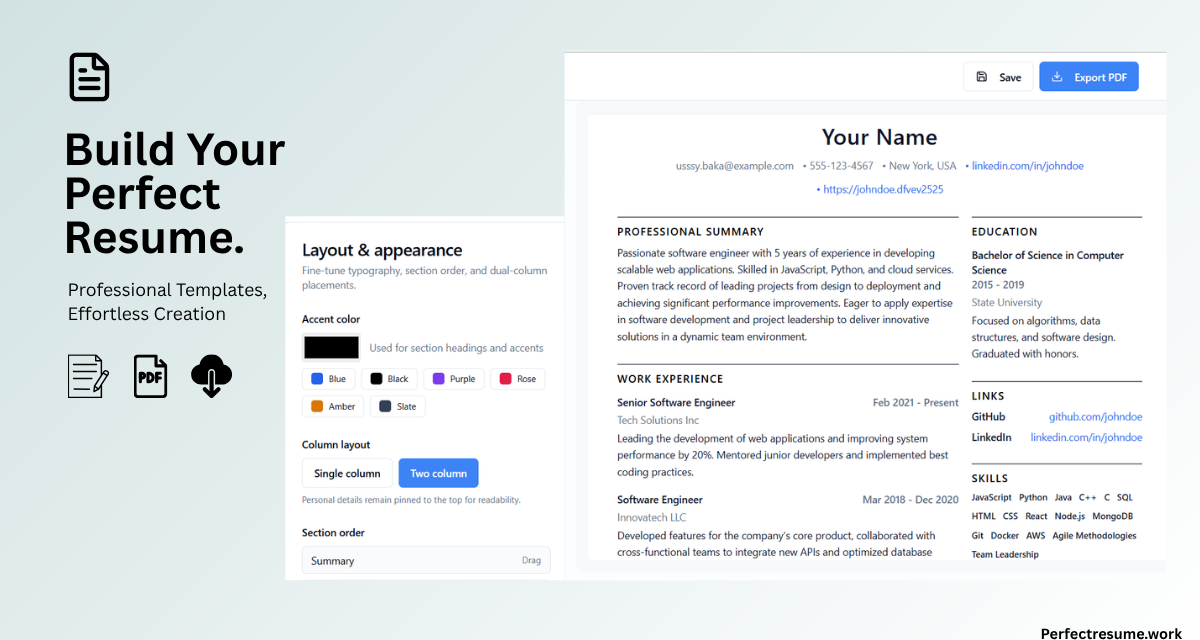
PerfectResume helps job seekers build professional, ATS-friendly resumes in minutes by providing modern templates specifically designed to work well with these systems. The platform ensures your carefully crafted experience and skills don’t get lost in translation.
The key difference between a regular resume and an ATS-friendly version lies in both content and structure. While a beautifully designed resume might impress a human recruiter immediately, an ATS-friendly version must first pass through algorithmic scrutiny before reaching human eyes.
Why ATS Formatting Matters
The way you format your resume directly impacts how well an ATS can read and evaluate it. Complex graphics, tables, columns, and unusual layouts can cause systems to misread or completely skip important information. Simple, clean formatting with standard section headings helps ensure all your qualifications are properly captured.
Modern resume builders like PerfectResume offer templates that balance visual appeal with ATS compatibility. These templates use clean layouts that parsing software can easily interpret while still looking professional to human recruiters once your resume passes the initial screening.
When choosing a resume format, consider how different elements will be interpreted by software. Text boxes, for instance, are often read as separate paragraphs rather than continuous experience. Similarly, headers and footers may not be parsed correctly by all ATS platforms.
Keyword Optimization Strategies
Keywords are the foundation of ATS success. These systems search for specific terms that match the job description, including job titles and functional role names, technical skills and software proficiencies, industry-specific terminology, certifications and qualifications, and action verbs and accomplishment descriptors.
To optimize your resume effectively, start by carefully reviewing the job posting. Identify the most important keywords—these are often repeated throughout the description and appear in both the required qualifications and preferred skills sections.
Once you’ve identified relevant keywords, incorporate them naturally throughout your resume. Place important terms in your professional summary, skills section, and work experience descriptions. However, avoid keyword stuffing—overloading your resume with terms in an unnatural way can actually hurt your chances, as some advanced ATS systems can detect and penalize this practice.
Consider using both abbreviated and full versions of terms. For example, include both “Customer Relationship Management” and “CRM” to capture searches for either version.
Choosing the Right Resume Template
Your template choice significantly impacts ATS readability. Here are the key elements of an ATS-friendly template that you should consider when selecting a design.
Clean Layout
Choose templates with clear section divisions and consistent formatting throughout the document. Avoid headers and footers that might not be read by all ATS platforms. The more straightforward your layout, the better chance the system has of accurately capturing all your information.
Standard Section Headings
Use conventional headings like “Work Experience,” “Education,” “Skills,” and “Summary” so the system can easily categorize your information. Avoid creative heading variations like “Where I’ve Made an Impact” or “My Professional Journey”—while these might sound appealing, they can confuse ATS parsing algorithms.
Simple Fonts
Stick to standard, easy-to-read fonts like Arial, Calibri, or Times New Roman. These fonts are universally recognized by ATS software and render consistently across different systems. Avoid decorative or stylized fonts that might not be recognized during the parsing process.
File Format
When submitting through ATS, PDF is usually the safest choice as it preserves formatting across systems. However, some older ATS platforms prefer Word documents. PerfectResume allows you to export to both formats, giving you flexibility depending on the application system.
Content Strategies That Work
Beyond formatting, your resume content must demonstrate that you have what the employer needs. Focus on these critical areas to maximize your chances of passing ATS screening.
Quantify Your Achievements
Numbers catch attention in both human and algorithmic reviews. Instead of saying “managed a team,” specify “led a team of 12 professionals.” Instead of “increased sales,” write “increased sales by 35% in Q3 2024.” These concrete metrics help both ATS systems and hiring managers understand your actual impact.
Tailor Each Application
While you can maintain a master resume as a foundation, customization is essential for each position you apply to. Analyze the job description thoroughly and adjust your keywords, skills, and achievements to align specifically with what the employer seeks. This targeted approach significantly improves your chances of scoring well in ATS rankings.
Include Relevant Skills
Create a dedicated skills section that highlights both hard and soft skills mentioned in the job posting. This makes it easy for ATS to identify your qualifications at a glance. Include technical skills, software proficiencies, languages, and relevant certifications.
Write a Strong Summary
Your professional summary should immediately communicate your value proposition and include relevant keywords. Keep it concise but compelling—aim for three to four sentences that capture your experience, key skills, and career goals. This section often receives significant weight in ATS scoring.
Common ATS Mistakes to Avoid
Understanding what hurts your chances is just as important as knowing what helps. Here are the most frequent mistakes that cause resumes to fail ATS screening.
Using tables or columns is a common error. These often break ATS parsing, causing the system to misread or skip entire sections of your resume. While they might look visually appealing, they can significantly harm your chances of passing initial screening.
Including images or graphics is another mistake to avoid. ATS cannot read visual elements—in fact, some systems simply discard any images they encounter, meaning your carefully selected photo or infographic icons won’t help you and might even cause problems.
Using headers and footers is risky because critical information placed in these areas may be missed entirely by the ATS parser. Always keep important contact information and section headings within the main body of your document.
Keyword stuffing, while tempting, can backfire. Repeating keywords unnaturally looks suspicious to both ATS algorithms and human reviewers who eventually see your resume.
Inconsistent formatting with mixed fonts or styles confuses parsing systems and can lead to incorrect data extraction. Maintain uniform formatting throughout your entire resume.
Finally, use professional naming conventions for your files. Instead of “resume_final_v3.pdf,” use something like “John_Smith_Resume.pdf” to maintain a polished, professional presentation.
How PerfectResume Supports Your Job Search
PerfectResume provides comprehensive tools specifically designed to help you create resumes that work for both ATS and human readers. The platform offers several key features that make building an ATS-friendly resume straightforward and accessible.
The ATS-friendly templates are pre-designed layouts optimized specifically for parsing software, taking the guesswork out of formatting decisions. You can easily customize every section, reorder content based on your specific background, and update details quickly as your career evolves.
Multiple export options allow you to download your resume as PDF or Word depending on the specific application requirements of each job. The real-time preview feature lets you see exactly how your resume will appear to recruiters, ensuring a polished final product.
Perhaps most importantly, you can start building your professional resume for free, making professional-quality job search tools accessible to everyone regardless of their budget.
Final Tips for ATS Success
Follow these essential guidelines to maximize your chances of passing ATS screening and landing more interviews.
First, proofread carefully before submitting anywhere. Typos and grammatical errors can cause immediate rejection, and they’re completely preventable with a careful final review.
Second, match your language to the job description. Use similar terminology and phrasing to what appears in the posting—this signals to the ATS that you’re a strong match for the position.
Third, keep your resume concise. Aim for one to two pages maximum. Some ATS systems truncate longer documents, meaning your most relevant experience might never be seen.
Fourth, save your files properly using standard naming conventions. This small detail contributes to a professional presentation.
Finally, consider testing your resume with online ATS scanners before applying to important positions. These tools can help you identify potential issues and make improvements proactively.
Building an ATS-friendly resume doesn’t mean sacrificing your personality or presentation style. With the right approach and tools, you can create a document that successfully navigates digital screening while still making a strong impression on hiring managers. PerfectResume combines modern design with ATS compatibility, helping you land more interviews without the guesswork.
Start building your professional, ATS-friendly resume today and take the first step toward landing your dream job.